 Orisod
How a drawn PDF signature works
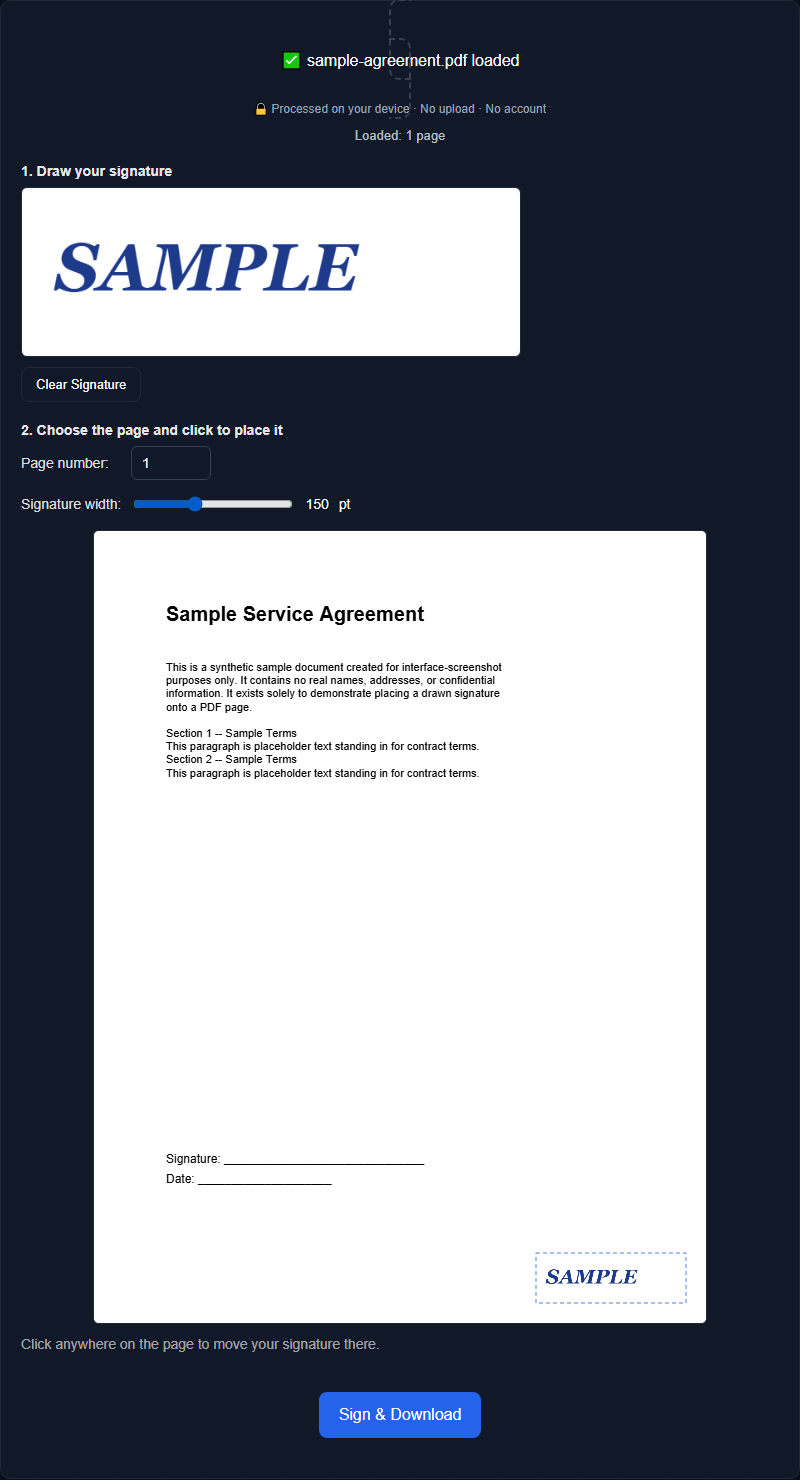
Draw on the signature pad with a mouse, trackpad, or touchscreen. The tool turns the strokes into a transparent image and places that image on the selected PDF page. You can then adjust its position and size before creating the new file.
Placing it in the right spot
Most signature fields sit in a predictable place (the bottom of a page, near a printed "Signature:" line), so being able to see the actual page while you position your signature matters more than it might seem. A live preview of the exact page you're signing, with the signature draggable to wherever it needs to go, avoids the guesswork of blindly picking coordinates.
A visible signature is not the same as a signing workflow
This tool adds a visible image of your signature. It does not verify identity, create a tamper-evident digital signature, or provide an audit trail. A drawn signature may still have legal effect in some situations, but the rules and the recipient's requirements vary by jurisdiction and document. Use a dedicated signing service when identity verification, consent records, certificates, or a formal audit trail are required.
Signing more than one page
A simple signature tool typically places your signature on one page per pass: the page you need signed, usually the last one on a short document. If multiple pages each need a signature, running the tool again on the already-signed file and placing it on the next page is usually faster than trying to batch multiple signatures across pages in one step.
Sizing it appropriately
A signature that's too large looks unnatural and can overlap other content; too small and it's hard to read as an actual signature rather than a smudge. Being able to resize before finalizing, and seeing that size reflected in the live preview, makes it easy to land on something that looks like a real, proportionate signature rather than guessing and re-downloading.
Example: returning an acknowledgment form
Suppose a colleague sends a one-page acknowledgment form and confirms that a drawn signature is acceptable. Open the PDF, draw your signature, place it over the signature line, check the preview, and download the completed copy.
Questions before adding a signature
Is a drawn signature legally valid? That depends on the document, the parties' intent, the applicable law, and any required verification or recordkeeping. This tool places a signature image; it does not provide identity verification or an audit trail.
Can I sign more than one page at once? Typically one page per pass: for multiple signed pages, run the tool again on the result and place it on the next page.
Can I adjust the size after drawing my signature? Yes, most tools let you resize before finalizing, with the preview updating so you can see the actual size before downloading.
Sign your PDF
Orisod's Sign PDF tool lets you draw a signature and place it precisely on any page, with a live preview, entirely in your browser.
Sign PDF →For documents that accept a visible signature image, this removes the print-and-scan step. Confirm the recipient's requirements first, especially for contracts, regulated forms, or sensitive transactions.