 Orisod
What a PDF watermark communicates
A PDF watermark usually communicates status or attribution. It stays with the marked copy instead of depending on an email subject or accompanying message that may disappear when the file is forwarded.
Choose text that matches the purpose
Use DRAFT for unfinished work, SAMPLE for demonstration material, and a name or company for attribution. CONFIDENTIAL communicates an expectation, but the label alone does not enforce access restrictions. Choose wording that readers can interpret without additional explanation.
Position, rotation and opacity all matter
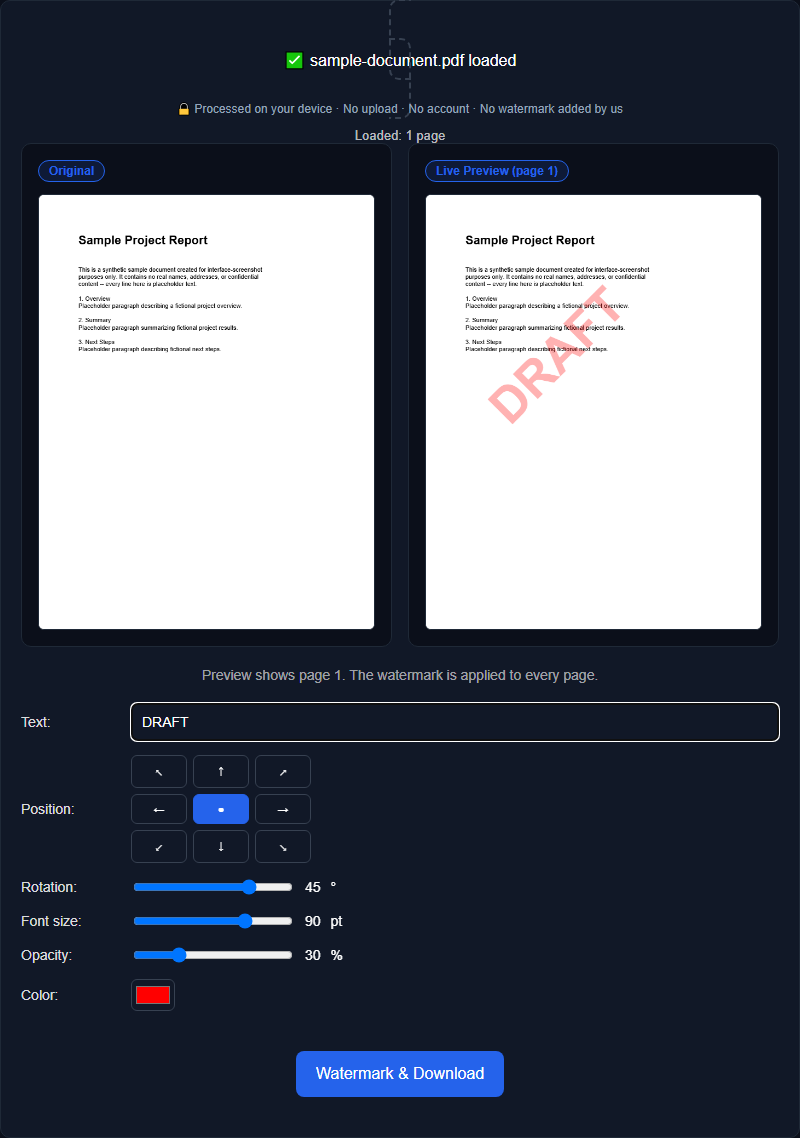
A centered diagonal mark is prominent and harder to remove with a simple crop. A corner mark interferes less with reading but is easier to overlook. Adjust opacity, size, color, and rotation while checking pages with dense text, tables, and images; one setting may not work equally well across the document.
A watermark is a label, not access control
The mark can discourage casual redistribution or misrepresentation, but it does not encrypt the PDF, prevent screenshots, or guarantee that text cannot be copied. Opening restrictions and PDF permissions are separate controls, and they also have limitations. Do not treat a visible label as protection for highly sensitive information.
Apply the label wherever context may be lost
Mark every page when pages may be separated from the original file. A cover-only watermark may be enough for a controlled presentation, but it will not accompany a later page that is printed or forwarded by itself.
Example: circulating a proposal for review
A proposal sent for feedback can carry DRAFT across each page at moderate opacity. Reviewers can still read the content, while screenshots and separated pages retain a visible indication that the document is unfinished.
Questions before watermarking a PDF
Will every page be marked? That depends on the tool and selected page range. Check the preview and inspect the downloaded PDF before distributing it.
Can the mark be removed later? Removal depends on how the watermark was added and which software edits the PDF. Keep the original unmarked file rather than relying on reversal.
Does it prevent copying? No. A watermark communicates status or source; it does not stop screenshots, extraction, or redistribution.
Watermark your PDF
Add text to PDF pages and adjust its position, rotation, size, color, and opacity in the preview. Orisod processes the document locally in your browser.
Watermark PDF →Open the exported PDF and inspect several page types at normal zoom. The label should remain visible without obscuring names, totals, signatures, or other information the reader needs.