 Orisod
How pages acquire the wrong orientation
A scanner may capture a sheet in the wrong direction, particularly in a mixed portrait-and-landscape batch. A phone image can also enter the PDF with an unexpected orientation. If the page is complete and legible, changing its PDF rotation is usually enough; rescan when the capture itself is cropped, blurred, or incomplete.
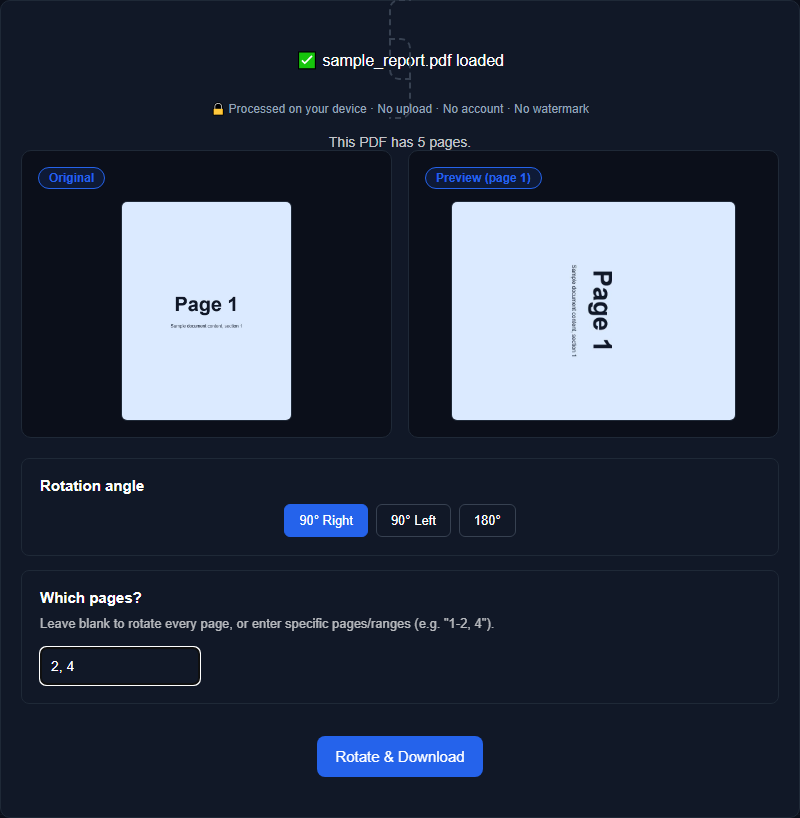
Rotate selected pages or the whole document
When every page faces the same wrong direction, apply one rotation to the document. In a mixed scan, select only the pages that need correction. Review thumbnails before saving because different pages may require different turns.
What PDF rotation changes
Many PDF tools change the page's rotation entry rather than rasterizing its content, so text and images can retain their existing resolution. The saved PDF is still a modified file. Check annotations, form fields, links, page boxes, and digital signatures when they matter, because editing or rewriting the document can affect those features.
How to tell if a page needs 90°, 180°, or 270° rotation
A page rotated 90 degrees needs a quarter turn to read normally: text runs vertically instead of horizontally. A page rotated 180 degrees is fully upside-down. A 270-degree rotation looks similar to a 90-degree one at a glance but turns the wrong way if you guess instead of checking, so it's worth previewing the result before finalizing rather than assuming which direction fixes it. It's also worth checking each affected page individually rather than assuming the whole document needs the same rotation amount, since a scanner jam or a mixed photo batch can rotate different pages in different directions.
Example: one landscape page in a portrait scan
You scan a stack of receipts or forms using a multi-page scanner, and midway through, one page gets fed in landscape while the rest are portrait. The scan finishes as one PDF, mostly readable, except that one page requires everyone who opens the file to rotate their device or squint sideways. Rotating that one page, rather than reprocessing the entire scan, fixes it in seconds.
Review on screen and in the print preview
After rotating, scroll through every page and open the print preview. Confirm orientation, paper size, margins, and scaling. A corrected screen view does not by itself guarantee that a particular printer setting will produce the intended layout.
When rotation is enough and when to rescan
Use rotation when the page is complete, readable, and merely facing the wrong direction. Rescan or re-photograph it when text is cut off, focus is poor, glare hides content, or the resolution is insufficient. Rotation cannot repair those capture problems.
Questions before rotating PDF pages
Does rotation reduce quality? A metadata-based page rotation can preserve the existing content streams and resolution. Confirm the result, since implementations may differ.
Can I rotate only one page in a multi-page document? Yes, a good rotation tool lets you target individual pages rather than forcing the same rotation on the entire file.
Will the file size change? It may change slightly when the PDF is rewritten, even if the page content is not recompressed. Compare the files if size is important.
Rotate your PDF pages now
Orisod's PDF rotator fixes sideways or upside-down pages: rotate the whole document or individual pages, entirely in your browser, with nothing uploaded to a server.
Rotate PDF pages →Save the rotated result as a separate copy and verify every affected page. For signed, interactive, or otherwise complex PDFs, confirm that the document's other features still work before replacing the source.