 Orisod
What a black-and-white conversion removes
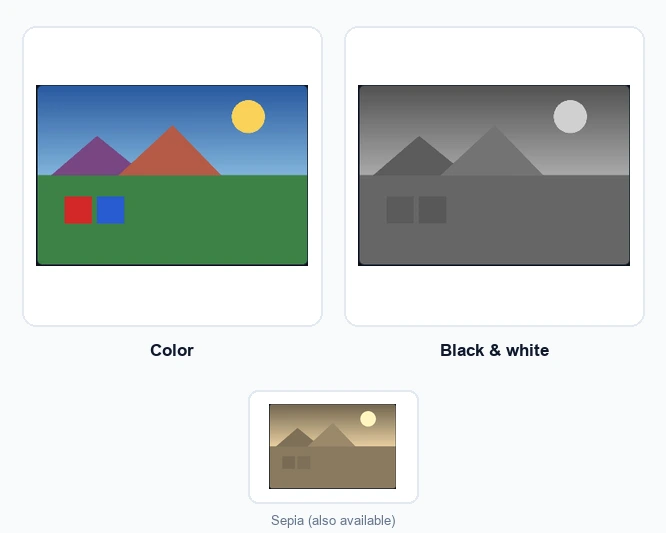
The conversion removes hue and saturation while retaining luminance, the lightness or darkness of each area. Different colors do not contribute equal brightness, so a simple desaturation can produce dull grays. A better conversion preserves separation, contrast, and detail across the tonal range.
Why people still shoot or convert to black and white
- Removing color as a distraction: a subject can get lost in a visually busy or clashing-colored background; black and white shifts attention to shape, light, and expression instead.
- A timeless or classic aesthetic: black and white photography has an established visual language that reads as intentional and artistic rather than casual.
- Emphasizing texture and contrast: architecture, portraits, and dramatic lighting often look more striking without color competing for attention.
- Fixing a photo with bad or inconsistent color: a photo shot under mixed or unflattering lighting sometimes looks better in black and white than trying to color-correct it.
Other useful color adjustments
Sepia replaces neutral grays with a warmer brown tone. Brightness changes the overall light level, while contrast increases or reduces the difference between light and dark areas. These controls handle many everyday corrections without the complexity of full color grading.
Why two conversions can look different
Conversion methods assign different gray values to the original colors. A method that treats red and blue as equally bright will not match one modeled after traditional film response. This is why two filters can produce noticeably different results from the same photograph.
How to apply it
Select the photo, choose black and white or another adjustment, and compare the preview with the original. Try more than one setting before downloading; the version with the strongest contrast is not always the one that best suits the image.
When to keep both versions
Keep the original color file instead of overwriting it. The converted copy no longer contains the discarded color information, and a future print, platform, or client may require the original version.
Before converting a photo
Can I restore the color later? Not from the converted file. Keep the original if you may need the color version again.
Does every photo work in black and white? No. Images built around color, such as sunsets or floral patterns, may lose their main appeal. Strong shapes, texture, and directional light usually translate better.
Why not set saturation to zero? A dedicated conversion can preserve better separation between colors as they become gray. Plain desaturation may leave the result flat or muddy.
Apply a black and white or color filter
Apply black and white, sepia, brightness, or contrast adjustments and inspect the preview before downloading. The photo is processed locally in your browser.
Apply a color filter →Judge the result by its tones rather than by the absence of color. If the subject remains clear and the important details still separate well, the conversion is doing its job.