 Orisod
How this differs from converting one image
A one-image conversion normally creates one PDF page. A combined document maps several source images to pages in a chosen sequence. Before export, remove duplicates, confirm that no page is missing, and decide whether each image should fill a standard page or define its own page dimensions.
Where this comes up in real life
- A scanned packet taken as photos. Instead of using a scanner, you photograph each page of a multi-page form or contract one at a time, and need all of those photos to become a single document rather than five separate attachments.
- A photo portfolio or lookbook. A photographer or designer assembling a set of images into one shareable PDF for a client, rather than sending a folder of individual files.
- A photo album or keepsake. Turning a set of personal photos into a single printable or shareable document.
- Receipts or documentation for an expense report. Several receipt photos need to become one PDF attachment instead of many.
Why order matters more here than it seems
Selection order often becomes page order, but filenames and capture times are not reliable after retakes, edits, downloads, or transfers. Use thumbnails to verify the sequence visually. For photographed documents, also check that page numbers and front/back sides follow correctly.
What happens to image quality and orientation
Quality depends on the converter. It may embed the original image stream, decode and re-encode it, downsample it, or place it on a page at a selected scale. Orientation metadata may also be interpreted differently during conversion. Review sharpness and rotate each image correctly before export, especially when small text must remain readable.
Sizing: one consistent page size, or match each photo?
Images from different devices may have different dimensions and proportions. Uniform pages are easier to print and browse, but fitting can add margins or crop edges. Matching each page to its image preserves the full frame but creates mixed page sizes. Choose deliberately and preview photographs taken near the edge of the frame.
From five camera photos to one submission
A five-page rental agreement photographed with a phone produces five image files. Before combining them, crop unnecessary surroundings, rotate each page, verify legibility, and place them in order. The resulting PDF may satisfy a one-file portal, but its acceptance still depends on that portal's size, page, security, and document-quality requirements.
Review before submitting
How many photos can be combined? Limits depend on the tool, browser, available memory, pixel dimensions, and output settings. A few high-resolution phone photos can consume more memory than many small images.
Can I reorder photos after I've added them, before combining? A good browser-based tool lets you rearrange the order before you commit, so you're not stuck starting over if the initial order was wrong.
Can formats be mixed? Only formats accepted by the converter can be combined. Mixed JPG and PNG files may also handle transparency, color profiles, and metadata differently.
Is a photographed PDF equivalent to a scan? Not necessarily. Perspective, lighting, shadows, focus, lens distortion, and background clutter can make a phone photograph less suitable for OCR, printing, or official submission. A document-scanning mode can help correct some of these issues.
Combine your photos into one PDF
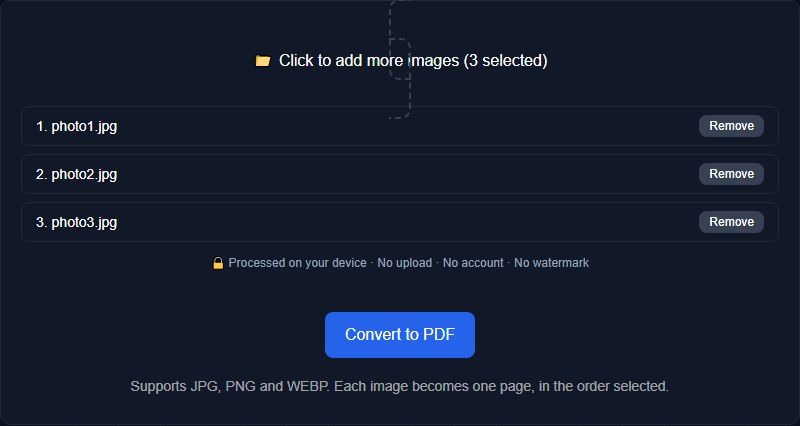
Orisod's image-to-PDF tool combines selected images in the order you choose within your browser. Preview the sequence, orientation, page fit, and readability before downloading the PDF.
Combine photos into a PDF →A combined PDF is useful only when its pages are complete, readable, and correctly ordered. Keep the source photographs until the downloaded document has been opened and checked from beginning to end.